
How to Play
Everything you need to know to get started with Nat20 — whether you're a player joining your first campaign or a DM building an entire world.
For Players
1. Getting Started
Download Nat20 from the App Store (iOS) or Google Play (Android). The app works fully offline — no internet required for solo use.
Sign in with Apple or Google to unlock campaign features. You can use the compendium and dice roller without an account.
Free tier includes the full SRD compendium, dice roller, and one character slot. Premium and DM tiers unlock additional features.
2. Using the Compendium
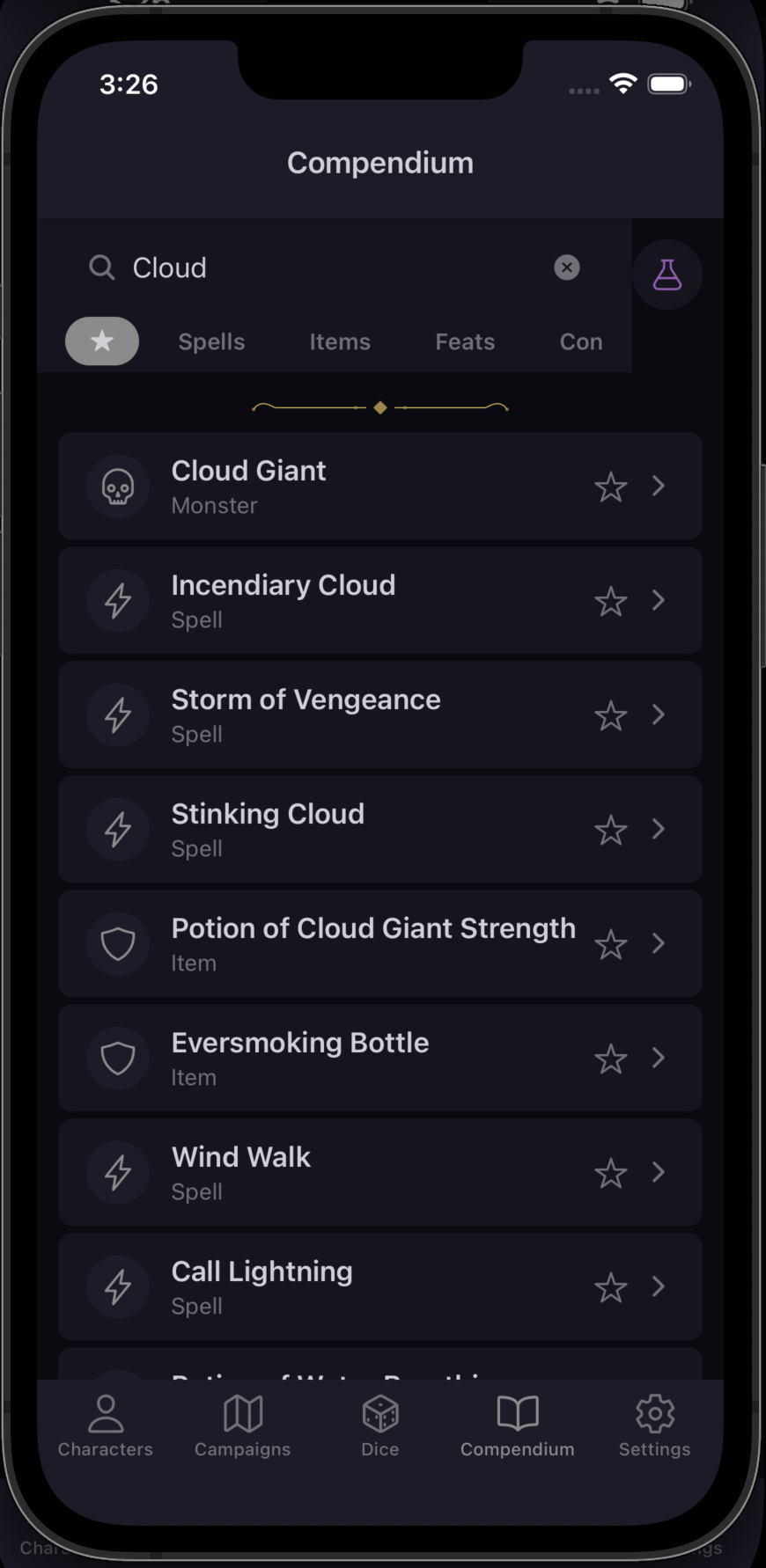
The compendium contains the complete SRD 5.1 dataset — 554 spells, 2,566 monsters, 1,794 items, 133 subclasses, 142 races, 215 feats, and 138 backgrounds — all searchable and available offline.
Search — Use the search bar at the top of any compendium section. Search works across names, descriptions, and metadata (e.g., search "fire" to find fire spells, fire-resistant monsters, and fire-related items).
Filters — Narrow results by level, school, CR, type, rarity, and more. Filters combine so you can find exactly what you need (e.g., "3rd level evocation spells").
Detail views — Tap any entry to see its full details including stat blocks, spell descriptions, and item properties.
3. Rolling Dice
Nat20 uses cryptographically secure random number generation — every roll is provably fair.
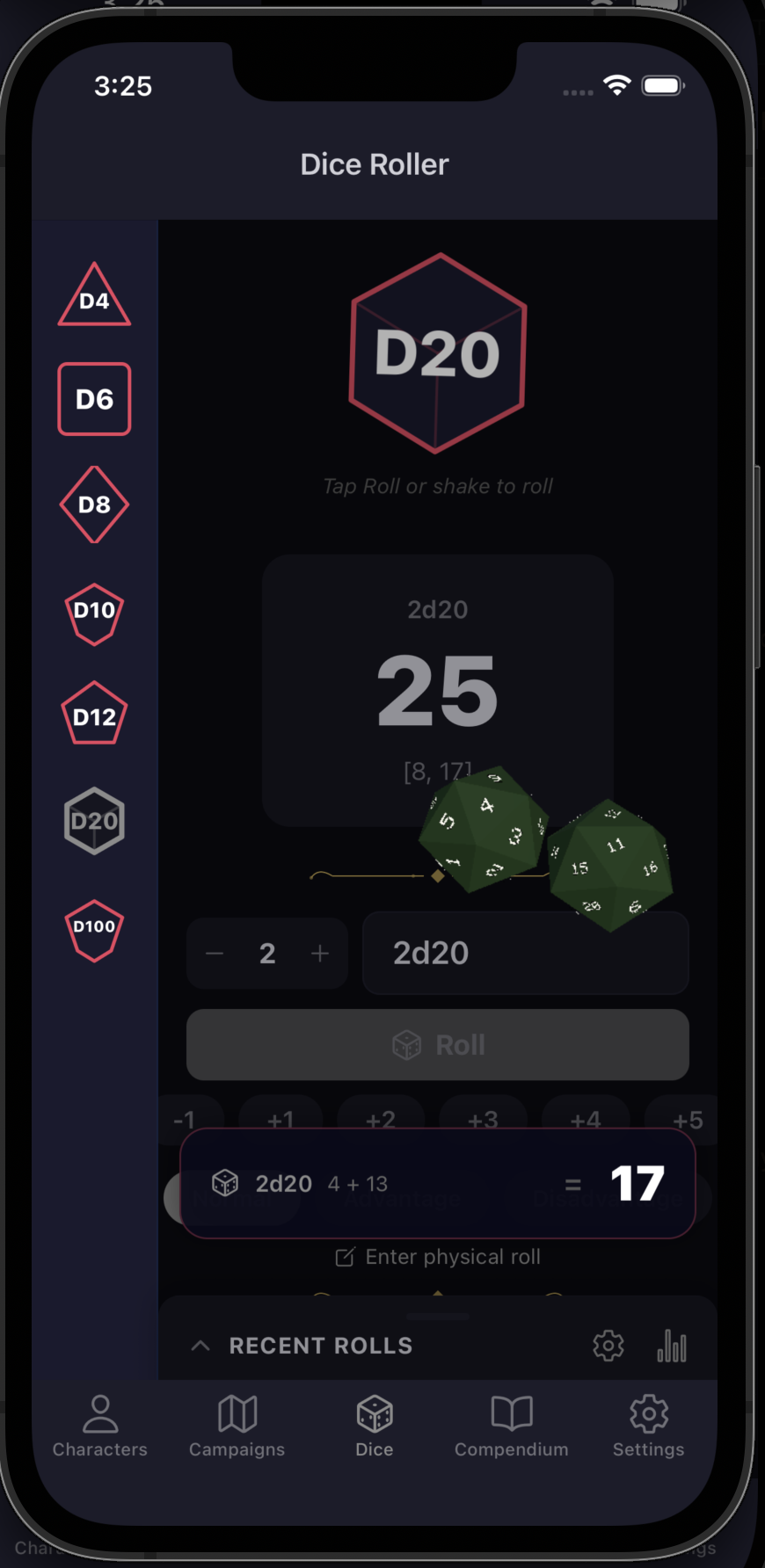
Quick roll — Tap any die (d4, d6, d8, d10, d12, d20, d100) to roll it. Tap again to add more dice.
Dice notation — Type complex rolls like 2d6+1d8+4 in the notation bar. The parser understands standard D&D notation.
Advantage / Disadvantage — Long-press the d20 to roll with advantage or disadvantage.
3D animations — Dice roll with physics-based 3D animations. Toggle animations off in Settings for faster rolls.
Shake to roll — Shake your device to reroll the last dice combination.
Dice skins — Collect and equip different dice skins to personalize your rolls. Some skins are earned, others are purchasable.
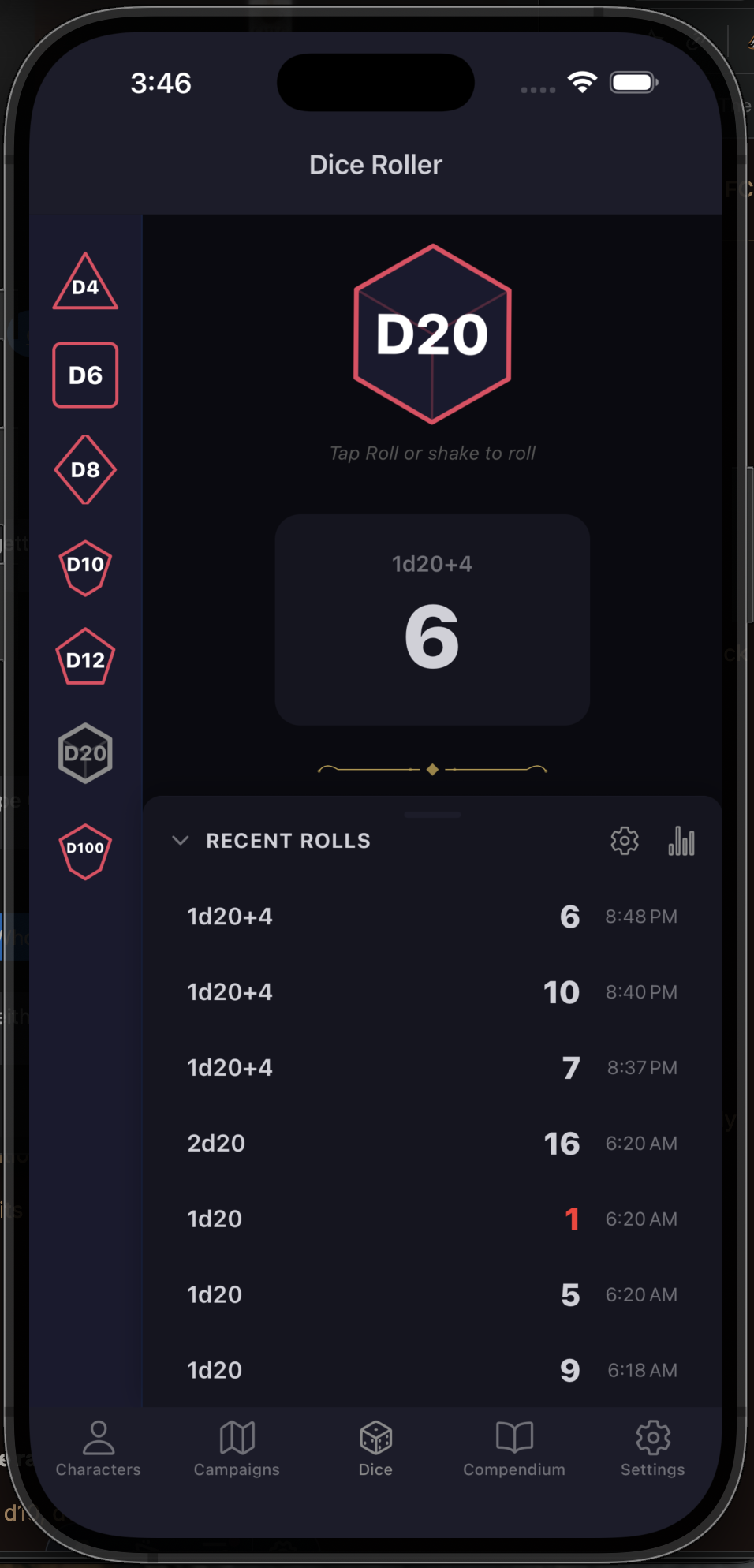
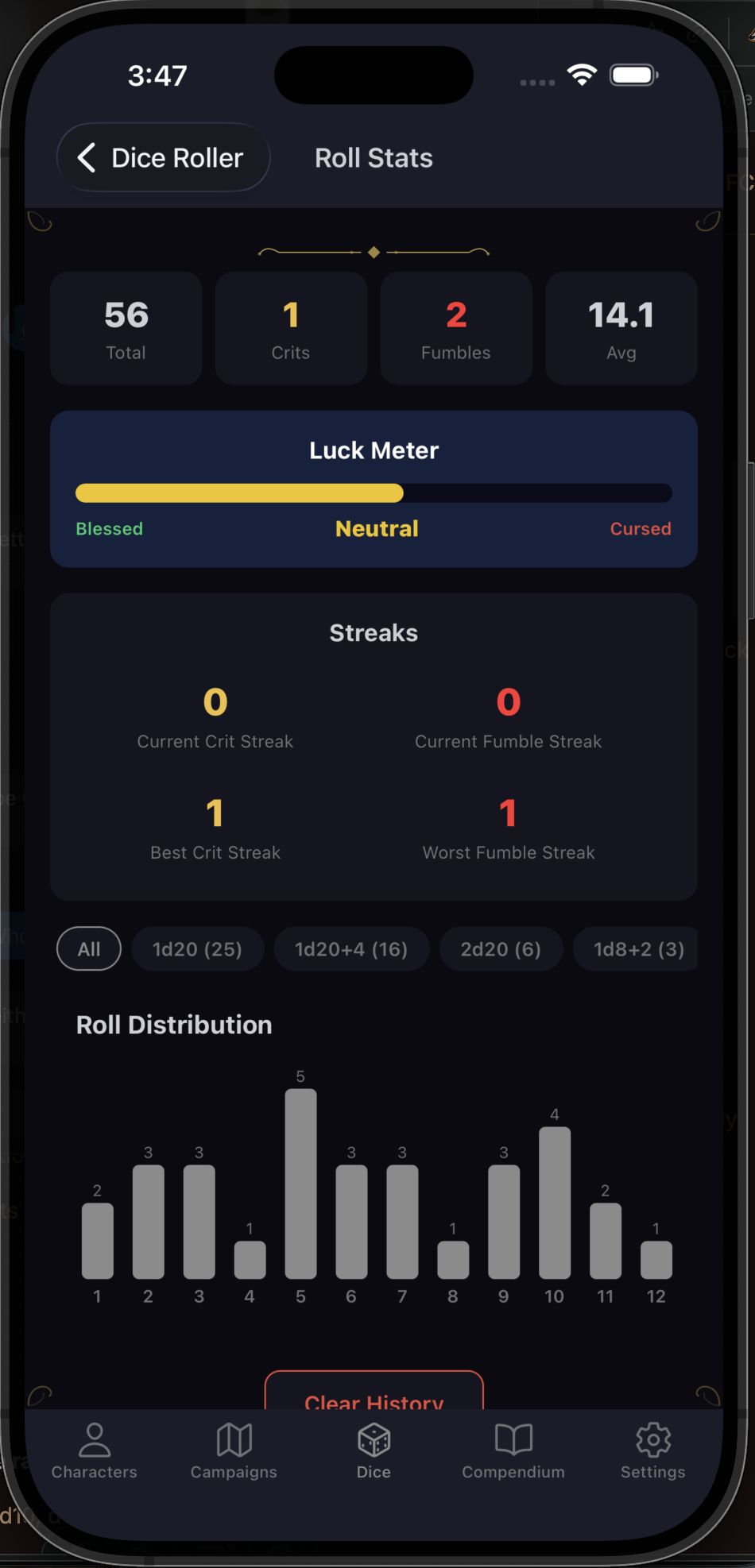
Roll history — Every roll is logged. Swipe up from the dice tray to view your roll history.
4. Character Management
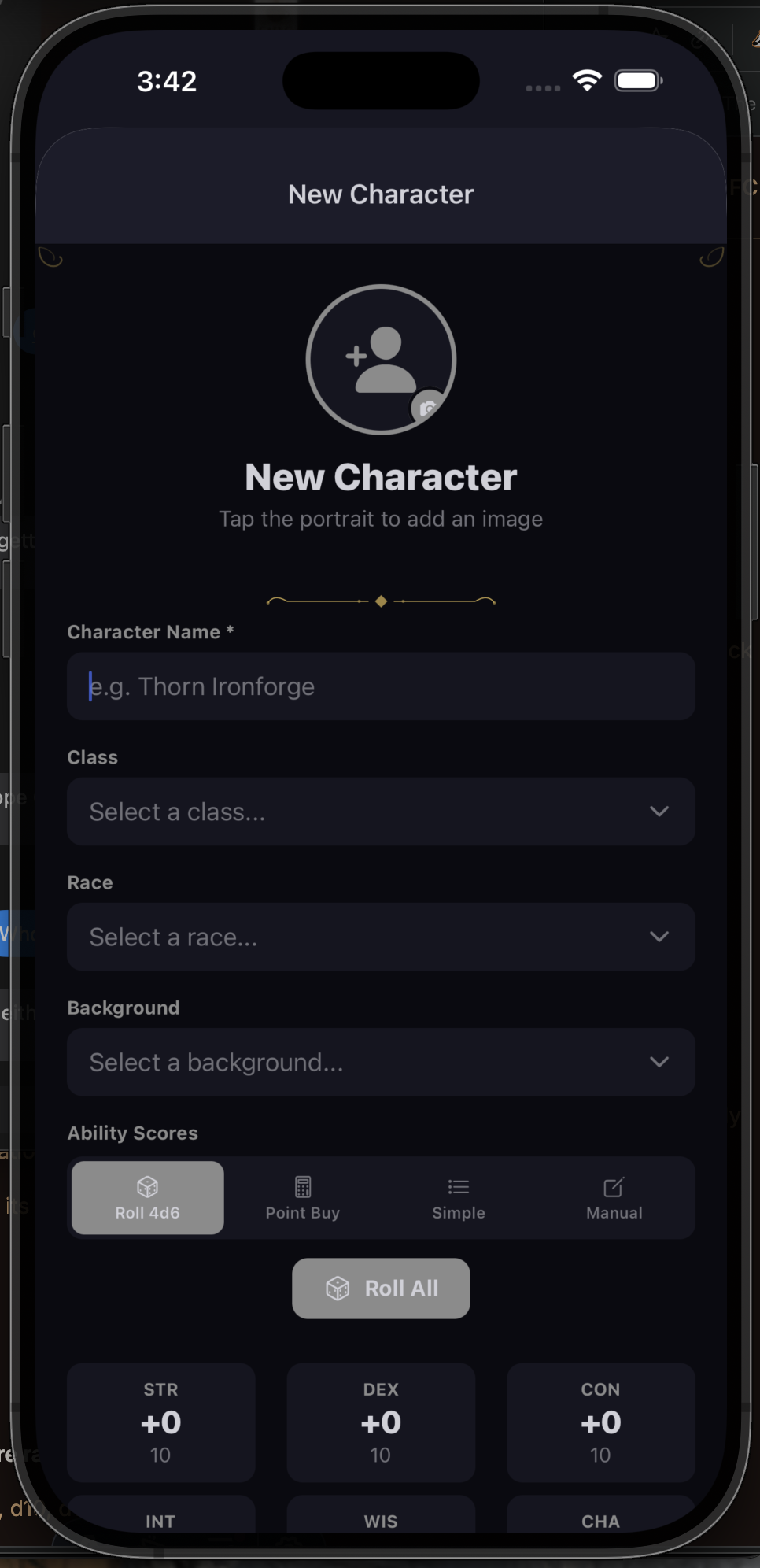
Create a character — Use the level-up wizard to build a character step by step: race, class, ability scores, background, and equipment.
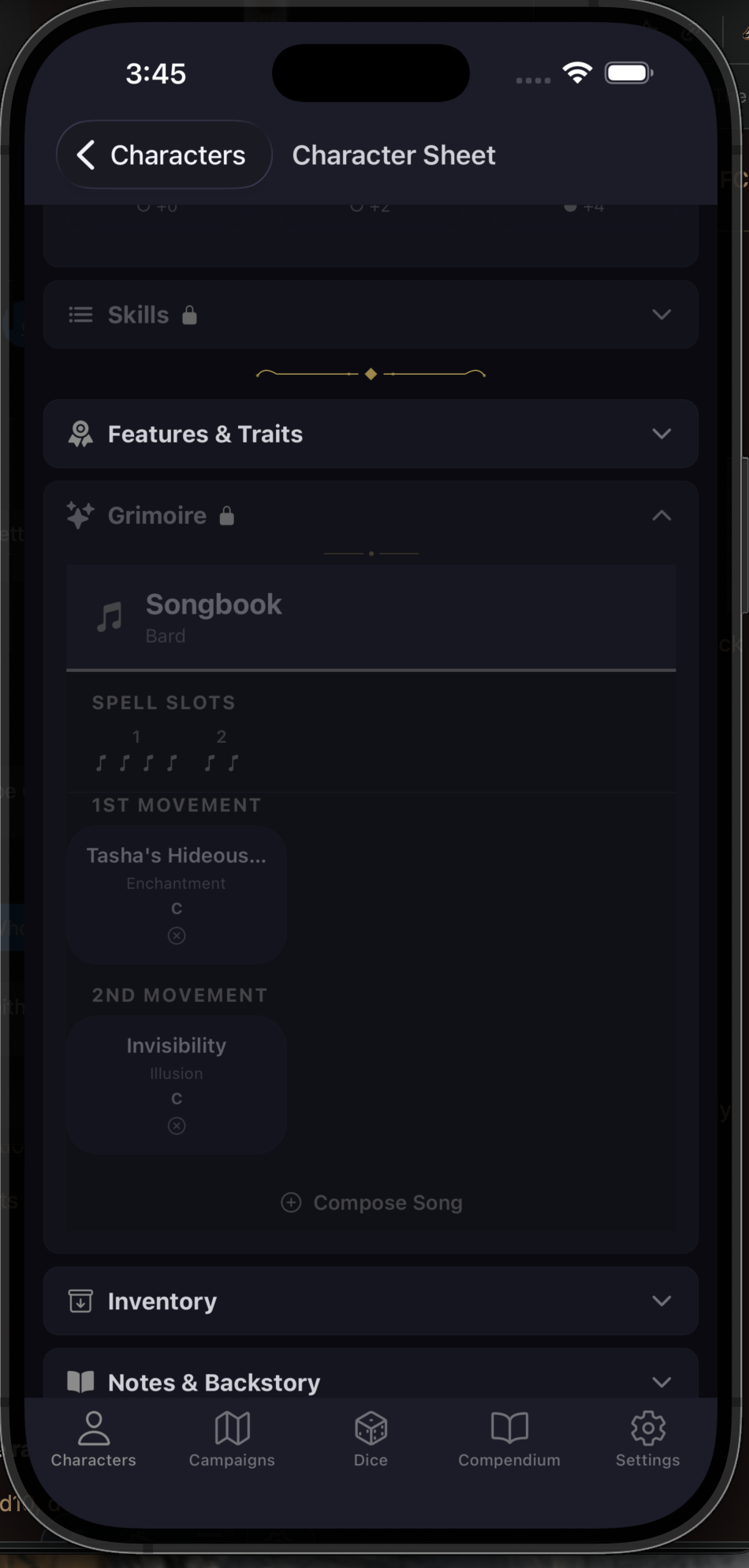
Class grimoires — Each spellcasting class has a themed UI for managing spells. The grimoire adapts its visual style to your class (e.g., arcane for Wizards, divine for Clerics).
Multiclassing — Add additional classes to your character. Spell slots and features are calculated automatically.
Import characters — Import existing characters from D&D Beyond, Roll20, or Fight Club 5e XML format.
Character sheet — View and edit your full character sheet including ability scores, skills, equipment, features, and notes.
5. Joining a Campaign
Join with a room code — Enter the room code your DM shares. Select which character to bring into the campaign.
Real-time sync — Campaign data syncs instantly between all connected devices. Initiative order, map tokens, and fog of war update live on your screen.
Shared dice rolls — Your rolls are visible to the whole party. The DM can see all roll results in real-time.
Audit log — Every action in the campaign is logged for transparency.
Tip your DM — Support your DM through the optional tip link feature.
For Dungeon Masters
6. Running a Campaign
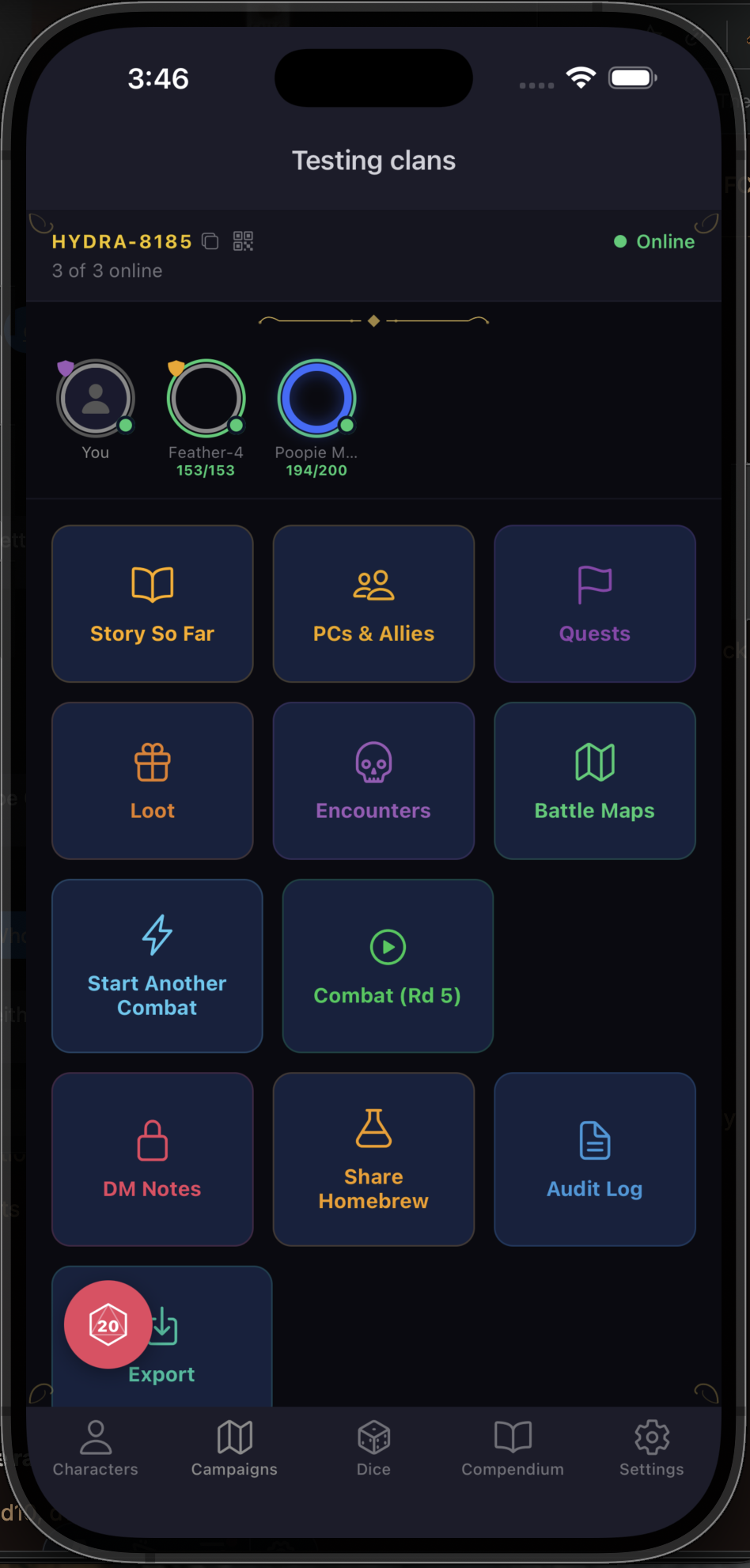
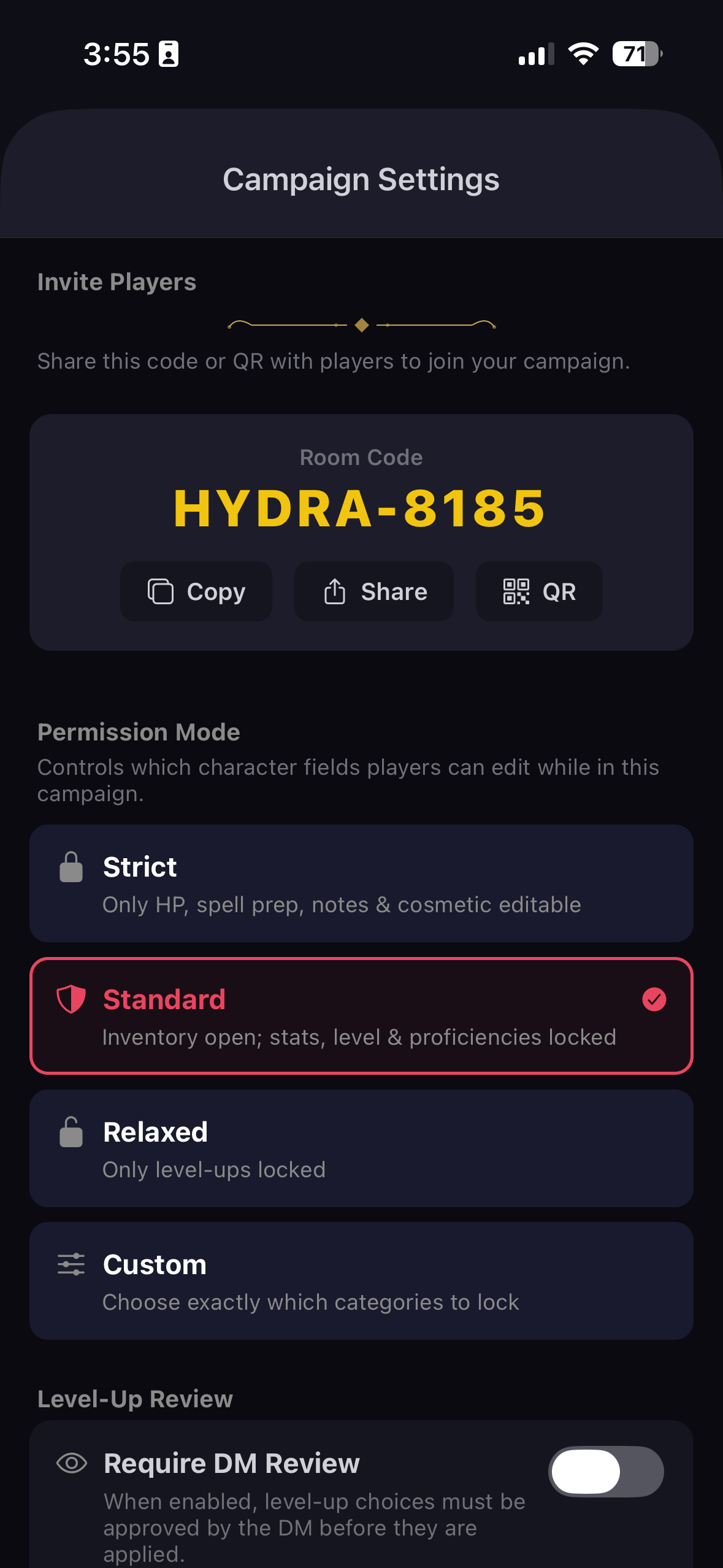
Create a campaign — Set up a campaign with a name and description. You'll get a unique room code to share with your players.
Real-time relay — Campaign data syncs instantly between all connected devices via WebSocket relay. Initiative order, map tokens, and fog of war update live.
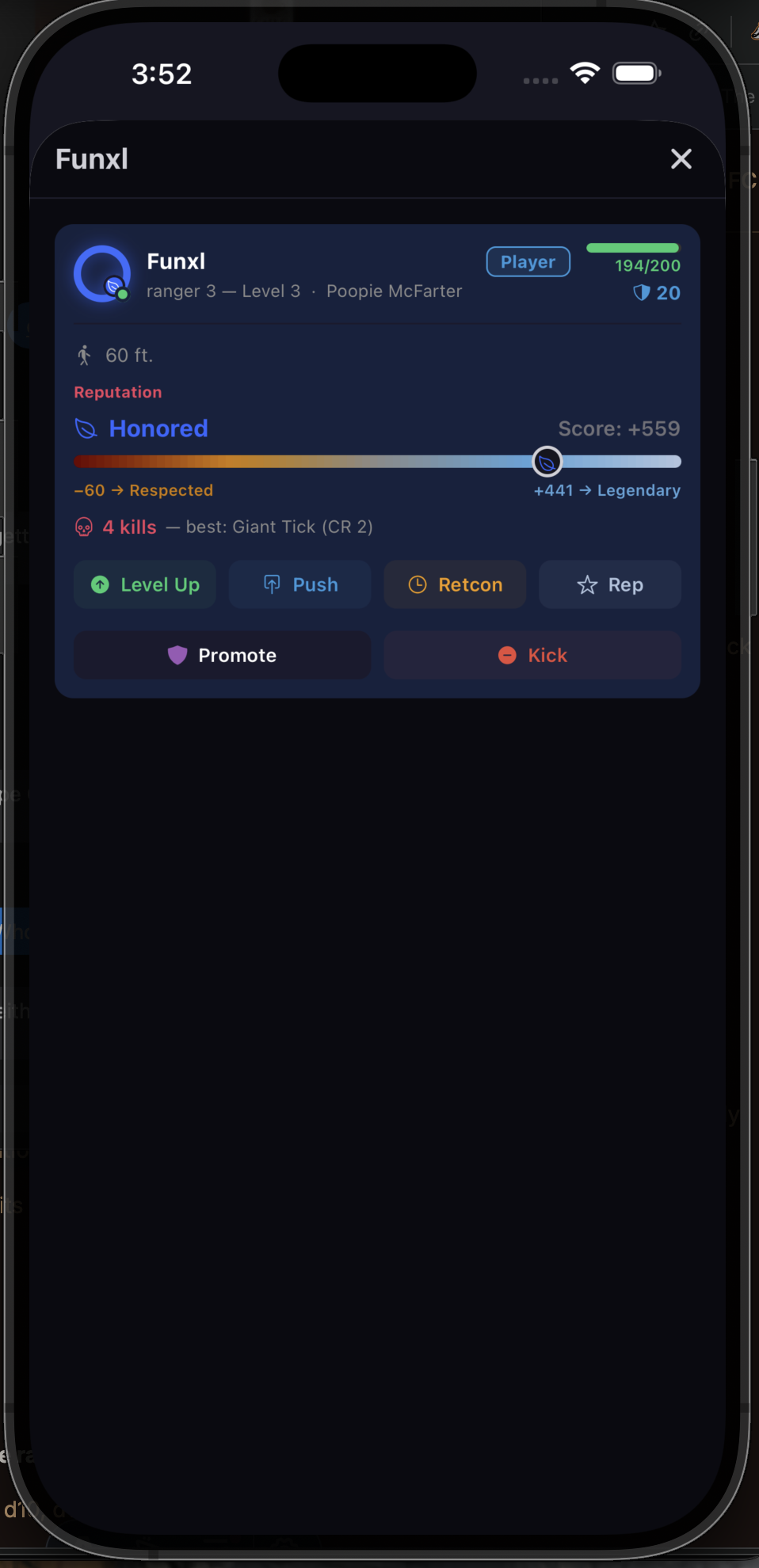
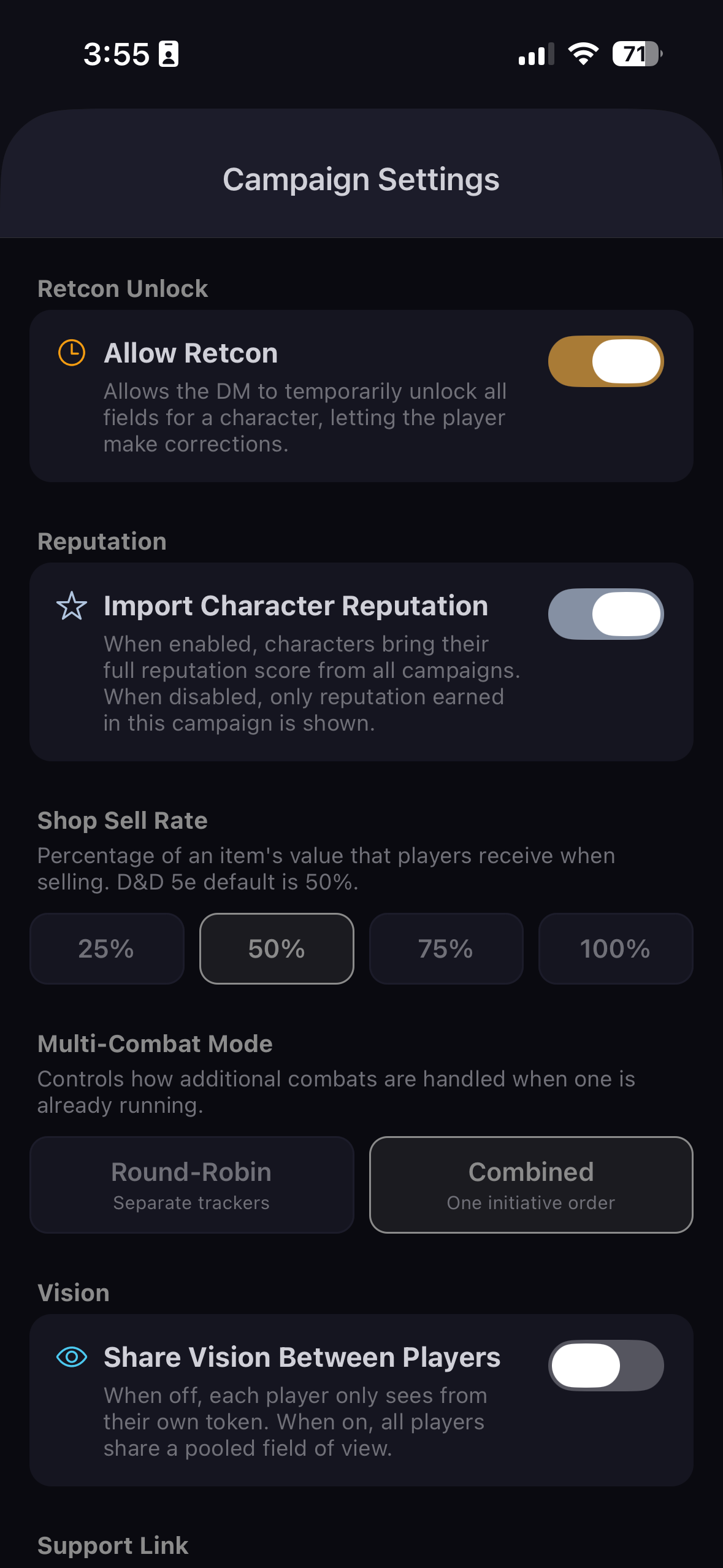
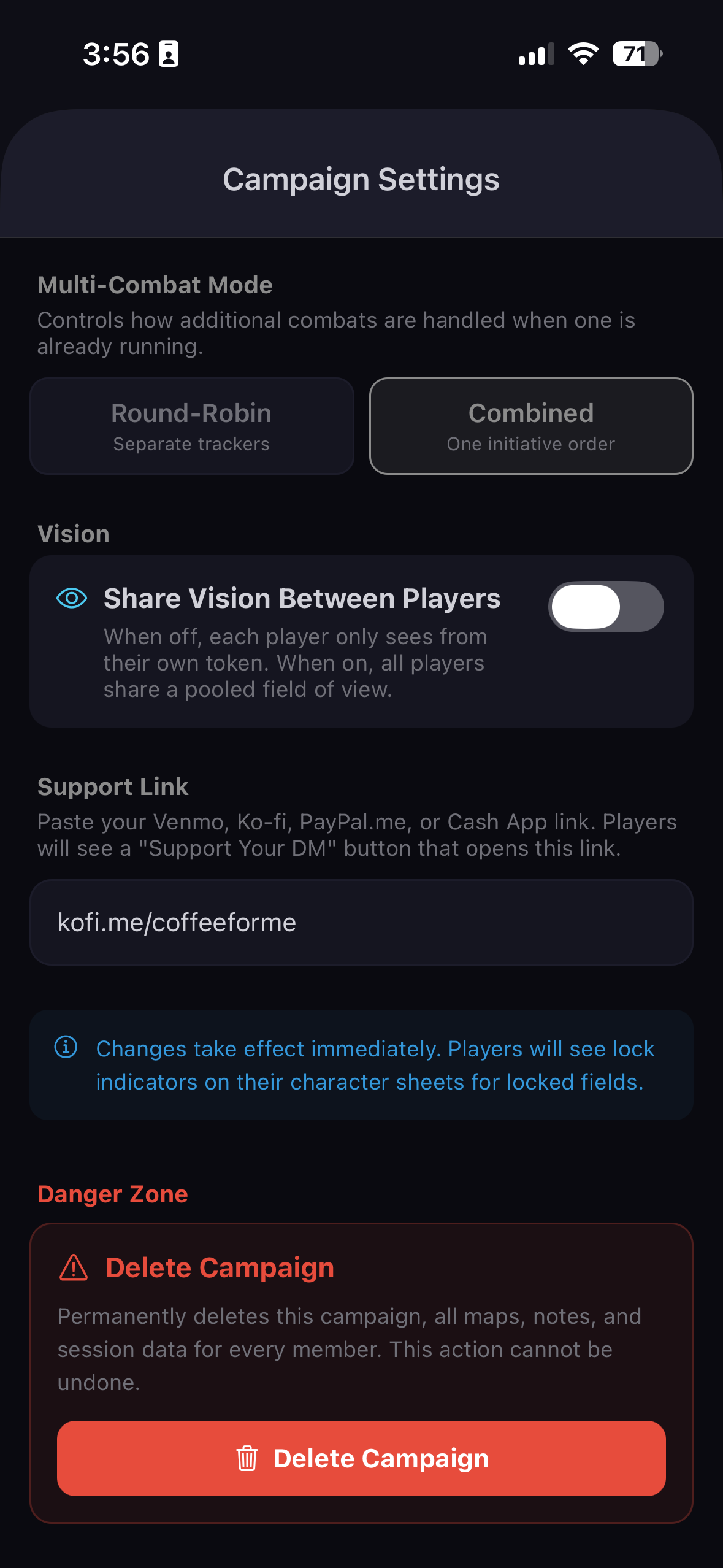
DM controls — You control leveling, manage shared and private notes, and have full authority over campaign settings.
Tip link — Add an optional tip link so your players can support you.
Audit log — Every action in the campaign is logged. Review player activity and roll history at any time.
7. Combat & Encounters
Encounter builder — Build encounters by adding monsters from the compendium. The CR calculator shows difficulty ratings (Easy, Medium, Hard, Deadly) based on your party's level.
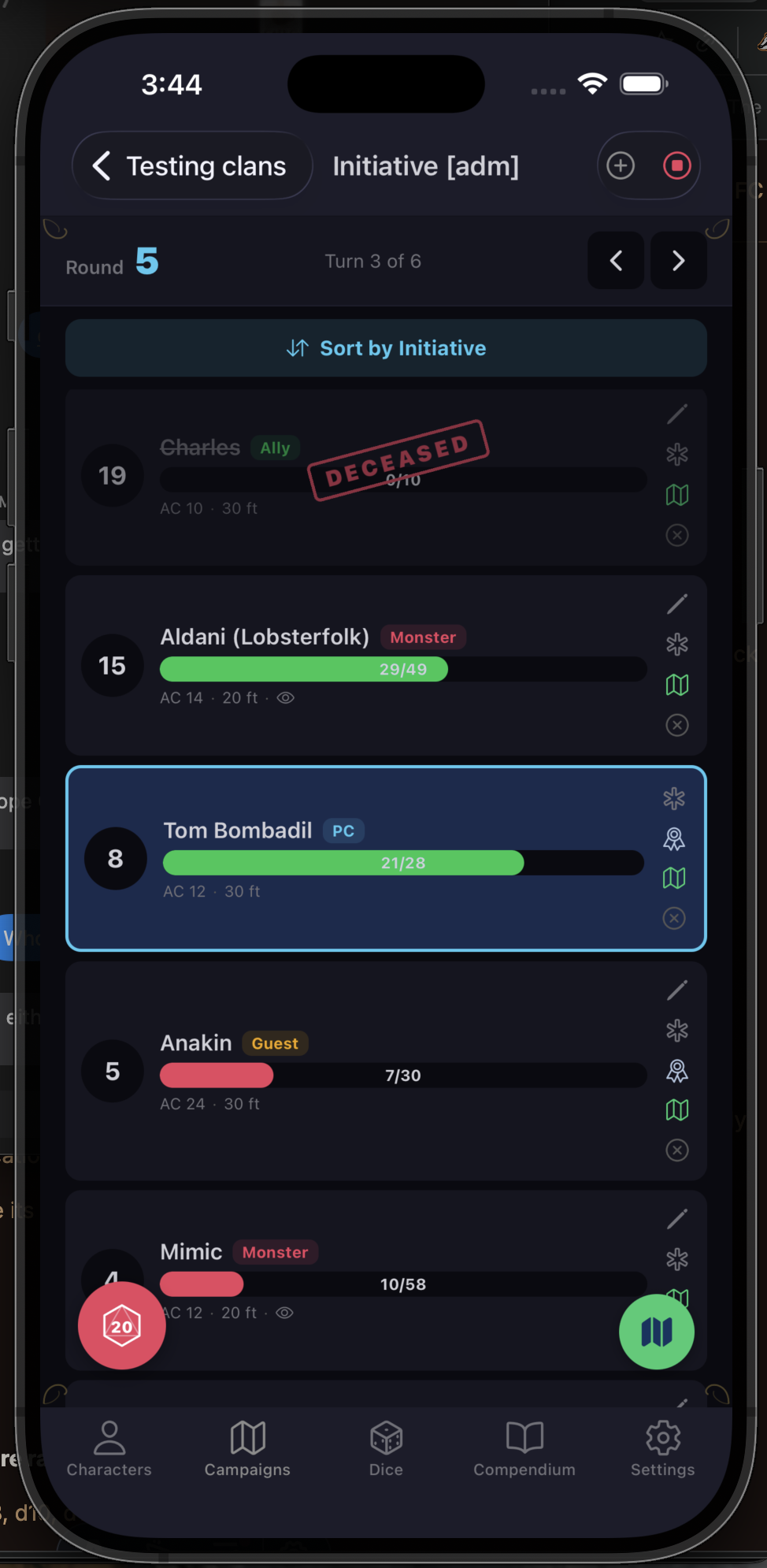
Initiative tracker — Roll initiative for all participants. The tracker syncs in real-time across all campaign members.
Conditions — Apply and track conditions (Blinded, Stunned, Prone, etc.) on any combatant. Condition effects are automatically factored into rolls.
NPC actions — Roll attacks, saves, and damage for NPCs directly from their stat blocks. Batch-roll actions for groups of identical monsters.
Modifier system — Active modifiers from features, feats, racial abilities, and conditions are tracked and can be toggled on/off. Roll breakdowns show exactly where each bonus comes from.
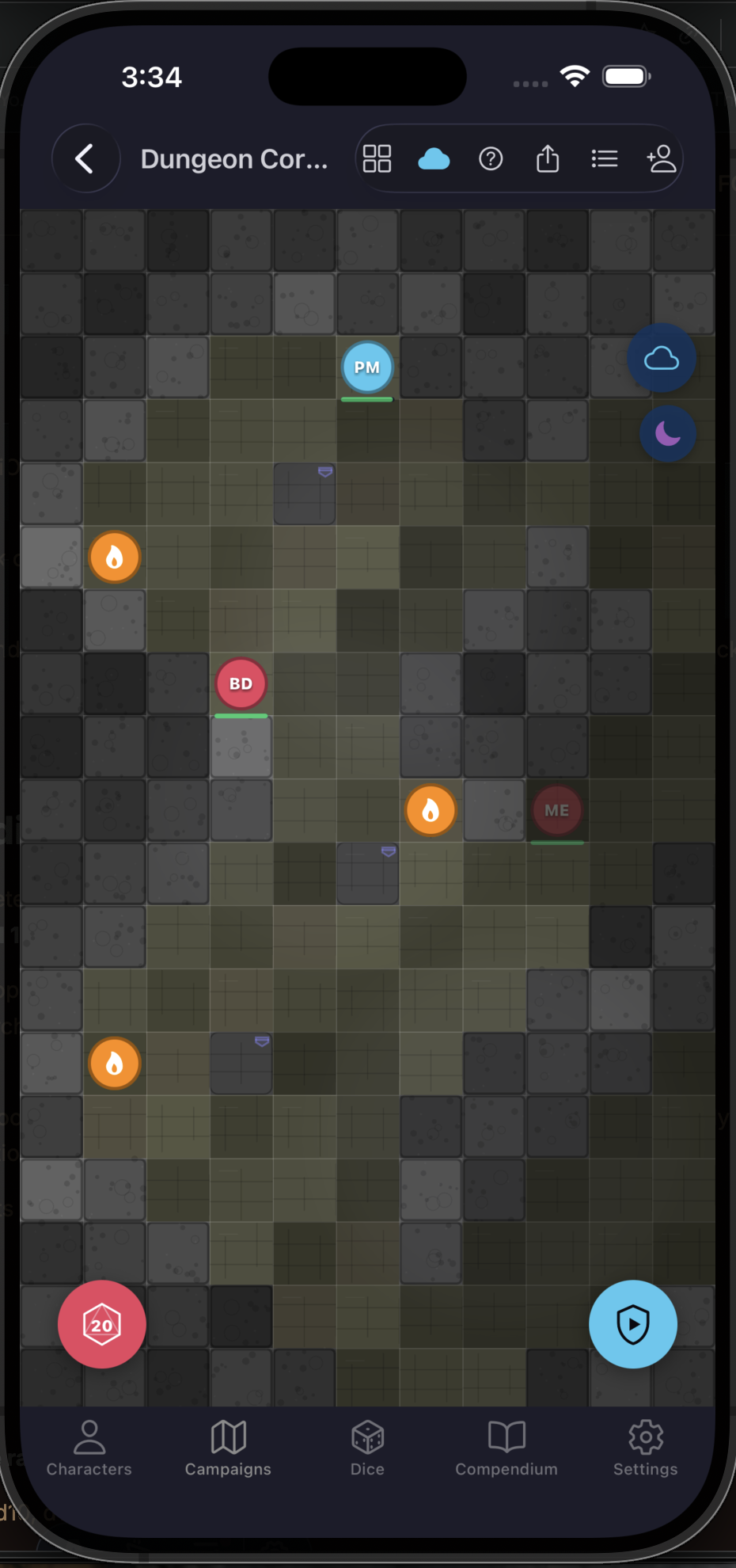
8. Battle Maps
Prefab maps — Choose from 10 included battle maps for common encounter locations.
Custom maps — Upload any image to use as a battle map. Set the grid scale and alignment.
Grid options — Square or hex grid. Snap tokens to grid or use free placement.
Tokens — Add tokens for PCs, NPCs, and monsters. Monster tokens automatically size to their creature size (Medium, Large, Huge, etc.).
Fog of war — Three fog modes: full fog, revealed areas, and dynamic vision. Paint fog on or off with touch gestures.
Vision & lighting — Tokens have darkvision ranges (60ft, 120ft, etc.) that affect what they can see through fog. Light sources illuminate areas for all nearby tokens.
Real-time sync — All token movements and fog changes sync instantly across campaign members.
9. Exporting Your Data
Character PDF — Export a professional character sheet as a PDF, formatted for printing or digital sharing.
Campaign journal — Export your campaign's session notes and audit log as a PDF.
Map export — Save battle maps as PNG images, including token positions.
Full archive — Export your entire campaign as a ZIP bundle containing character sheets, maps, notes, and encounter logs.